Users can now
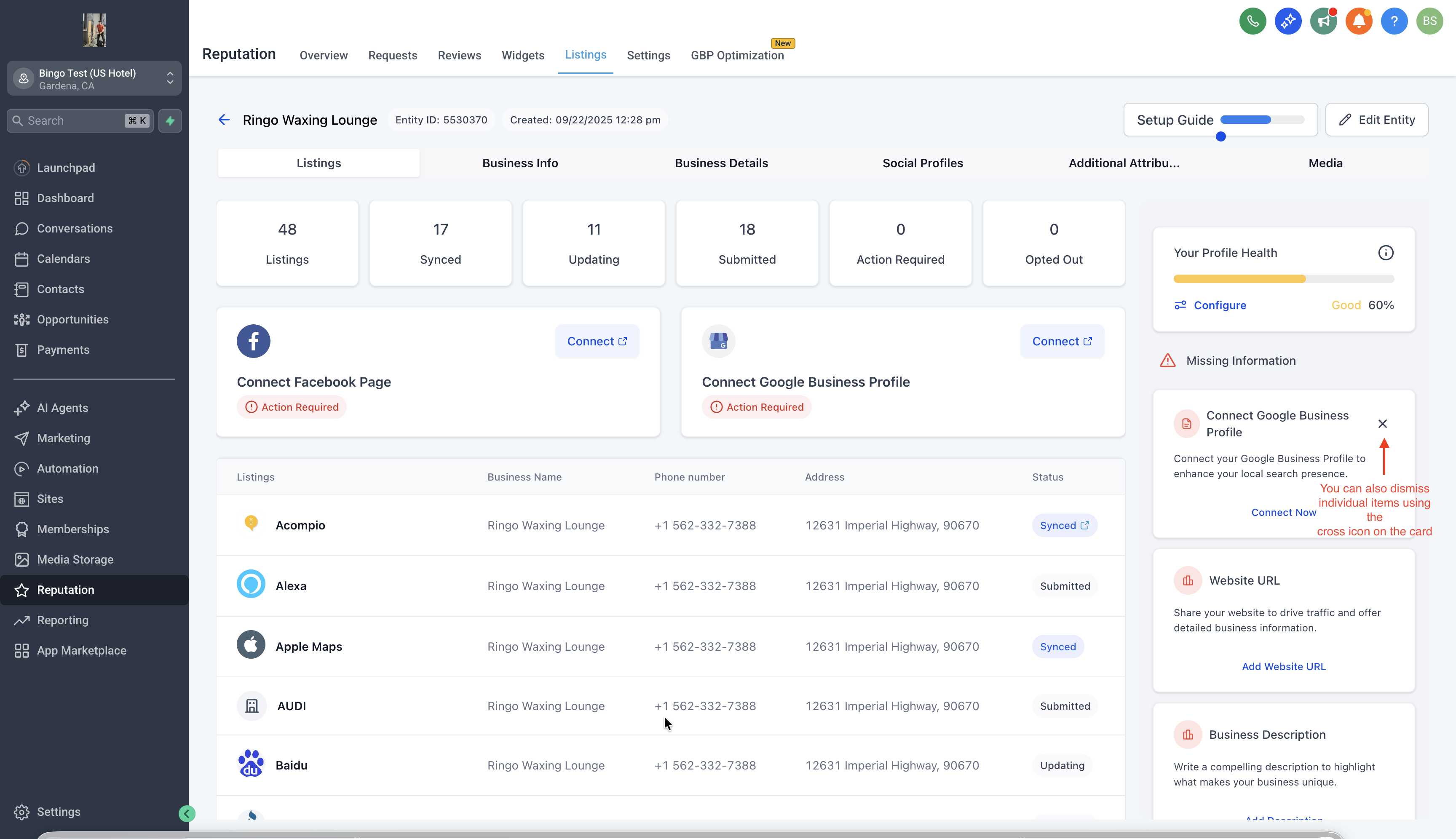
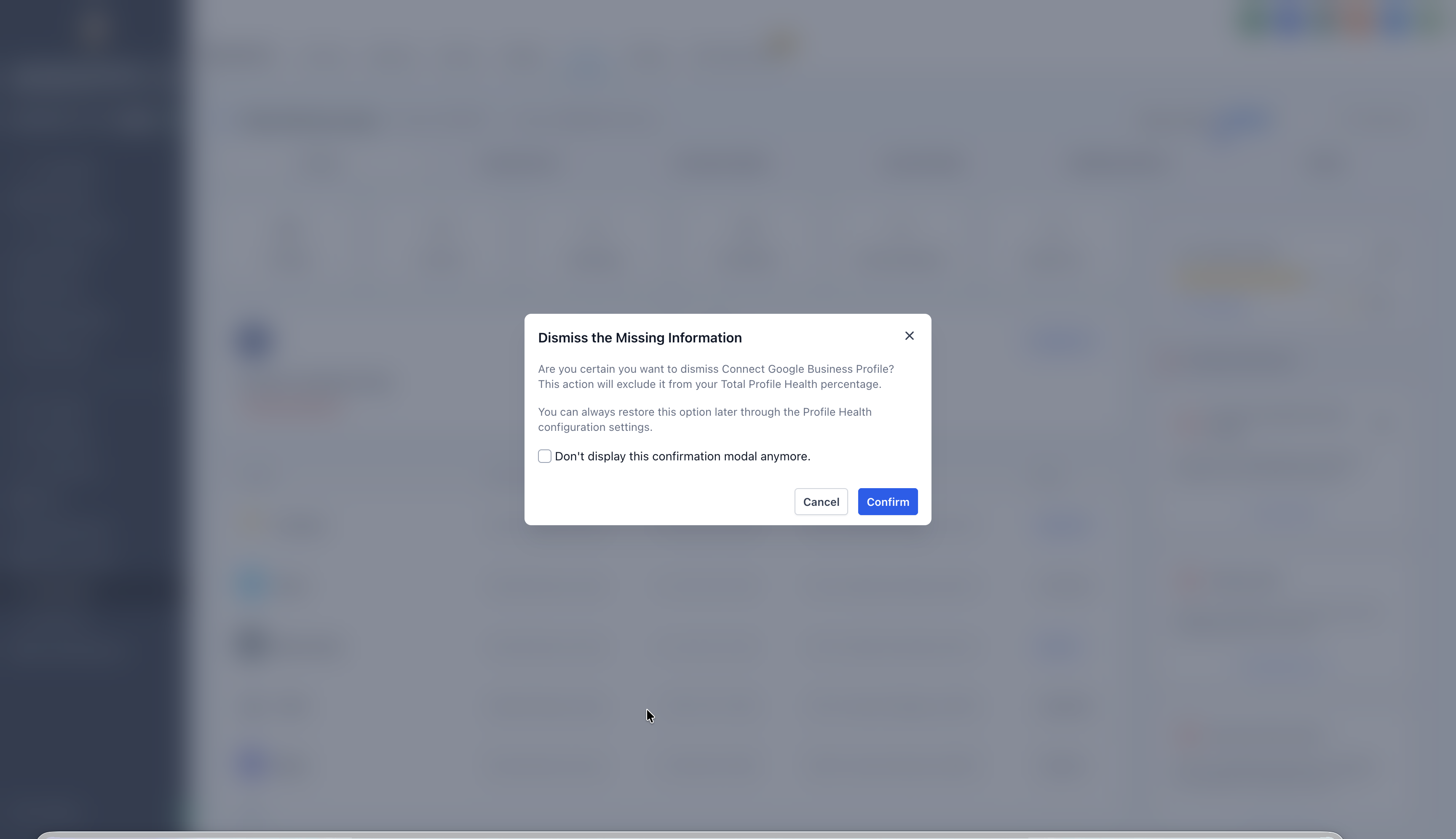
dismiss missing info alerts on the entity detail screen for fields that are not applicable
to a business (e.g., TikTok URL, YouTube page, etc.).?
Key Benefits
- Cleaner UX:Alerts are no longer cluttered with irrelevant missing fields.
- Personalized Control:Agencies and businesses decide what’s relevant — not a one-size-fits-all template.
- Accurate Profile Scores:Dismissed fields are excluded from completeness scoring, making the score more reflective of actual completion.
- Reversible:Accidentally dismissed something? Toggle dismissed fields back on anytime.
?
How It Works
- Navigate to any location/entity profile.
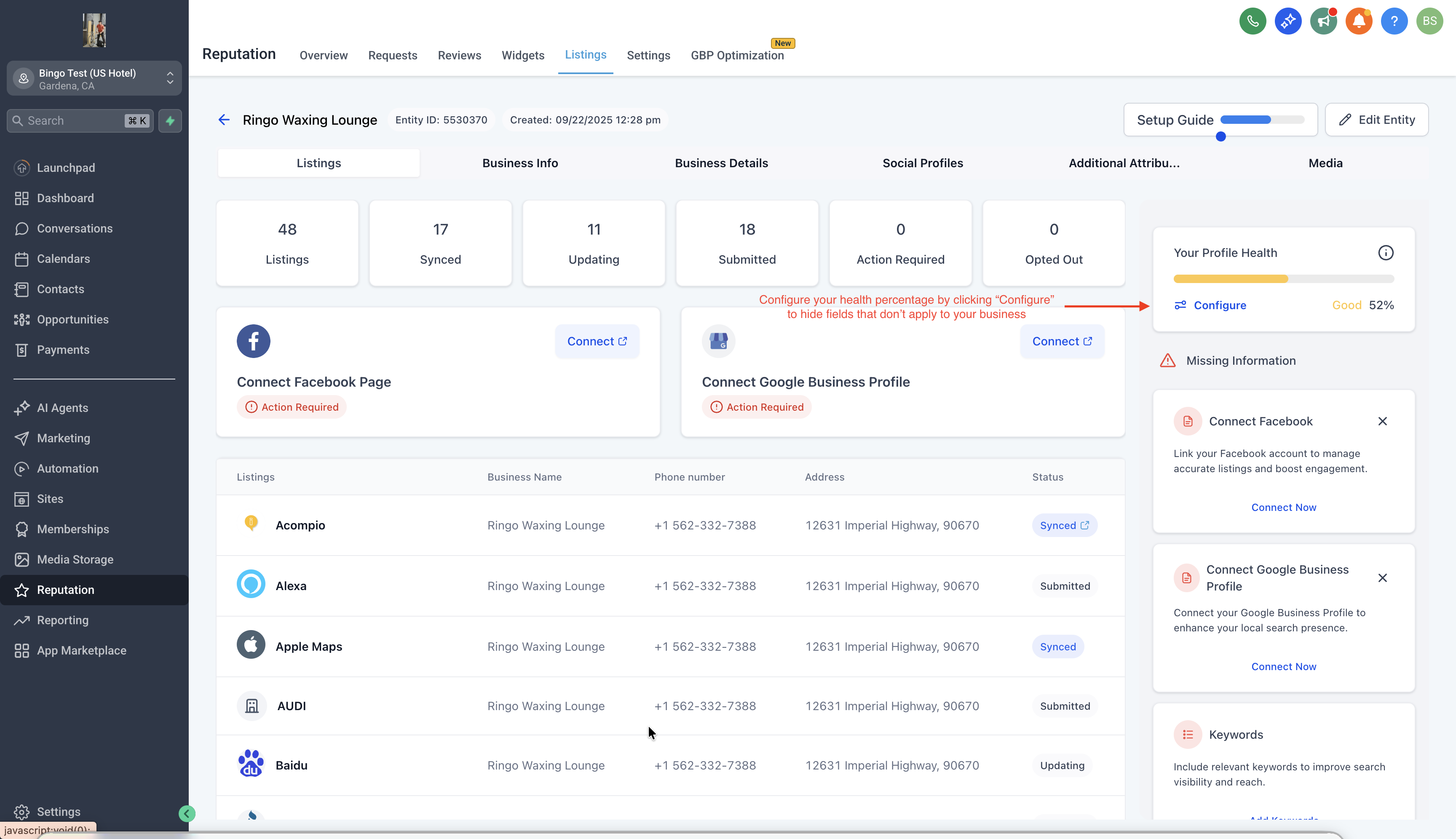
- In the “Missing Info” section, click "Configure" on the Profile Health Card
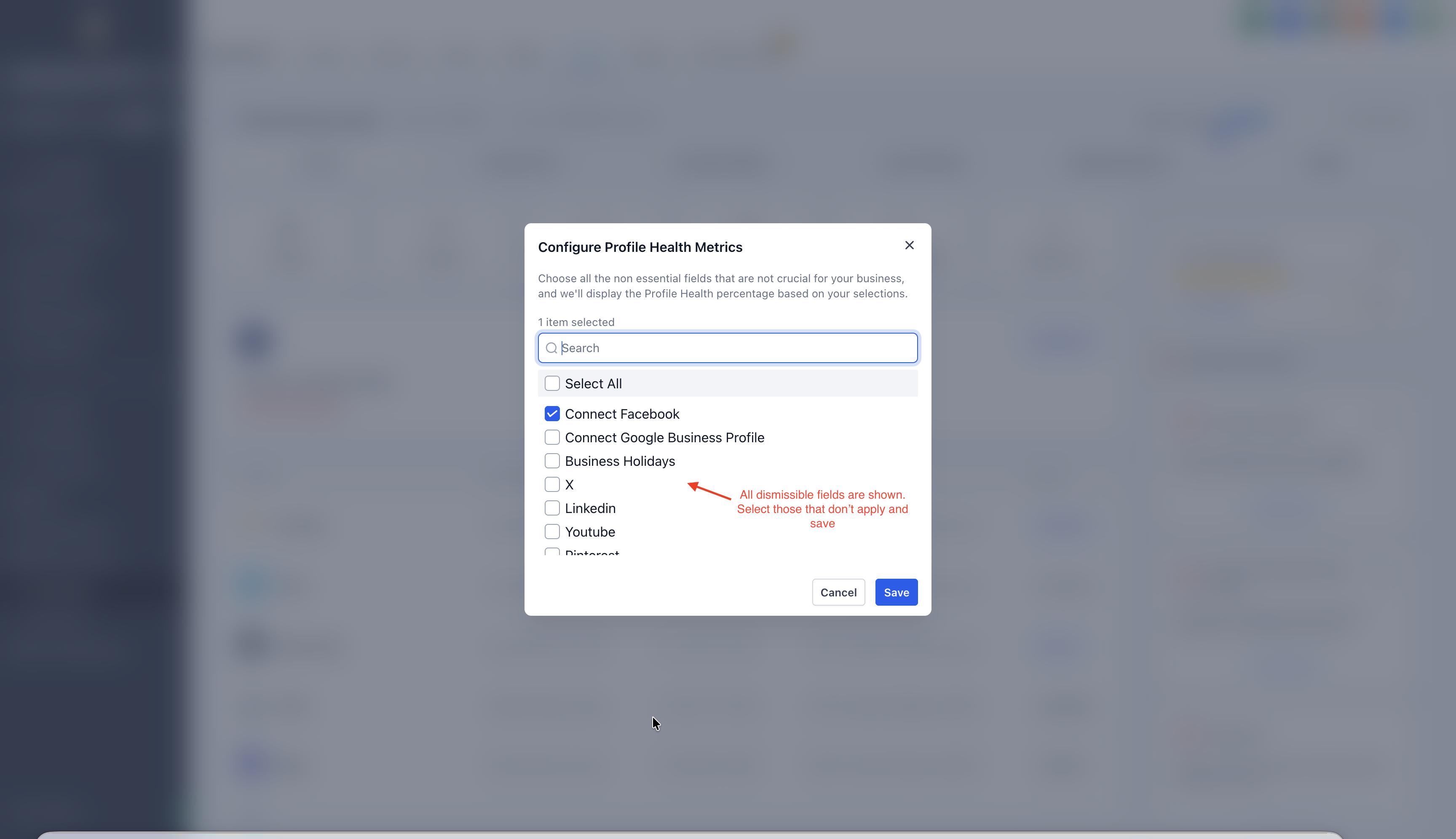
- A modal will appear where you can select all the fields not applicable.
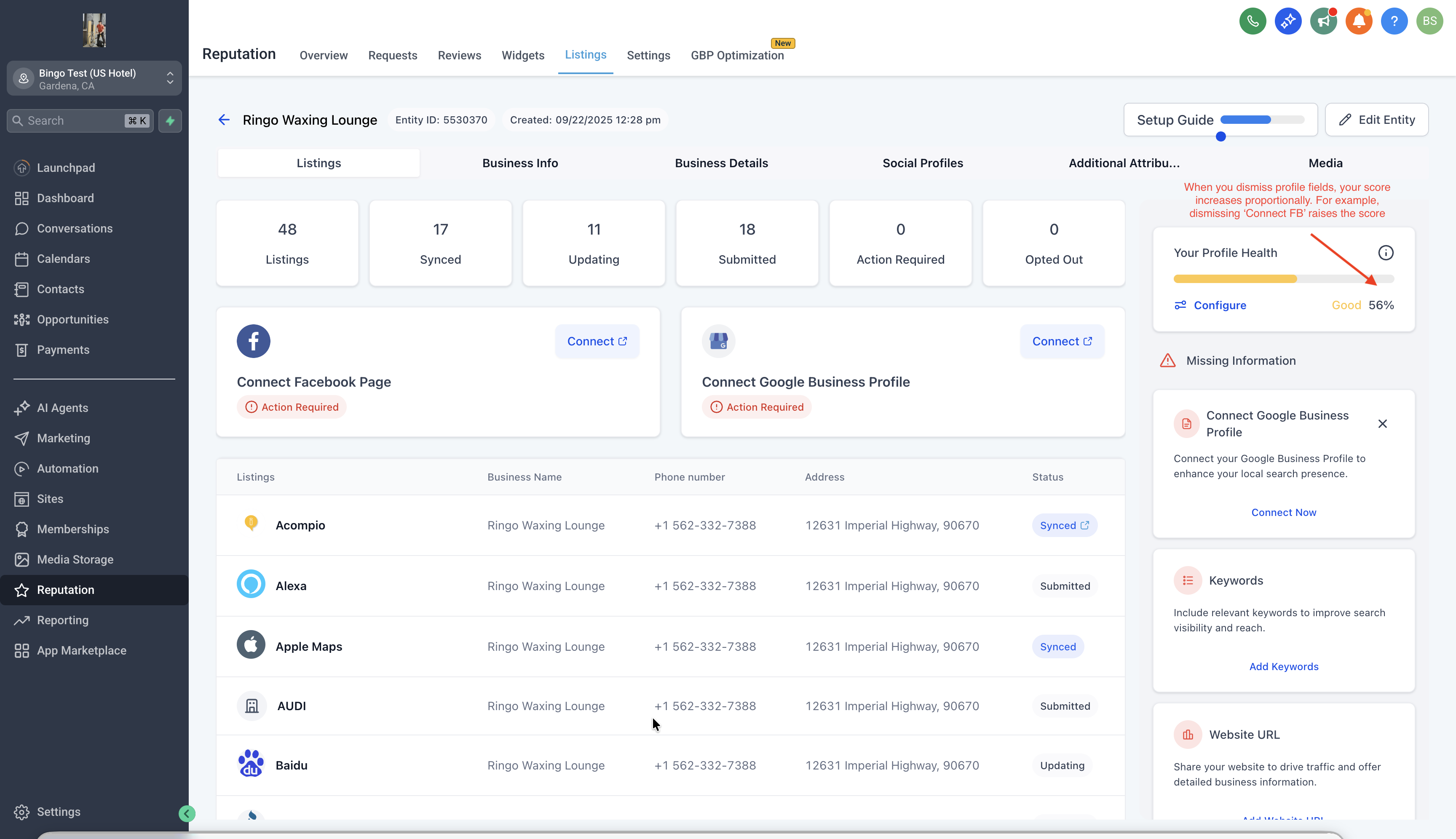
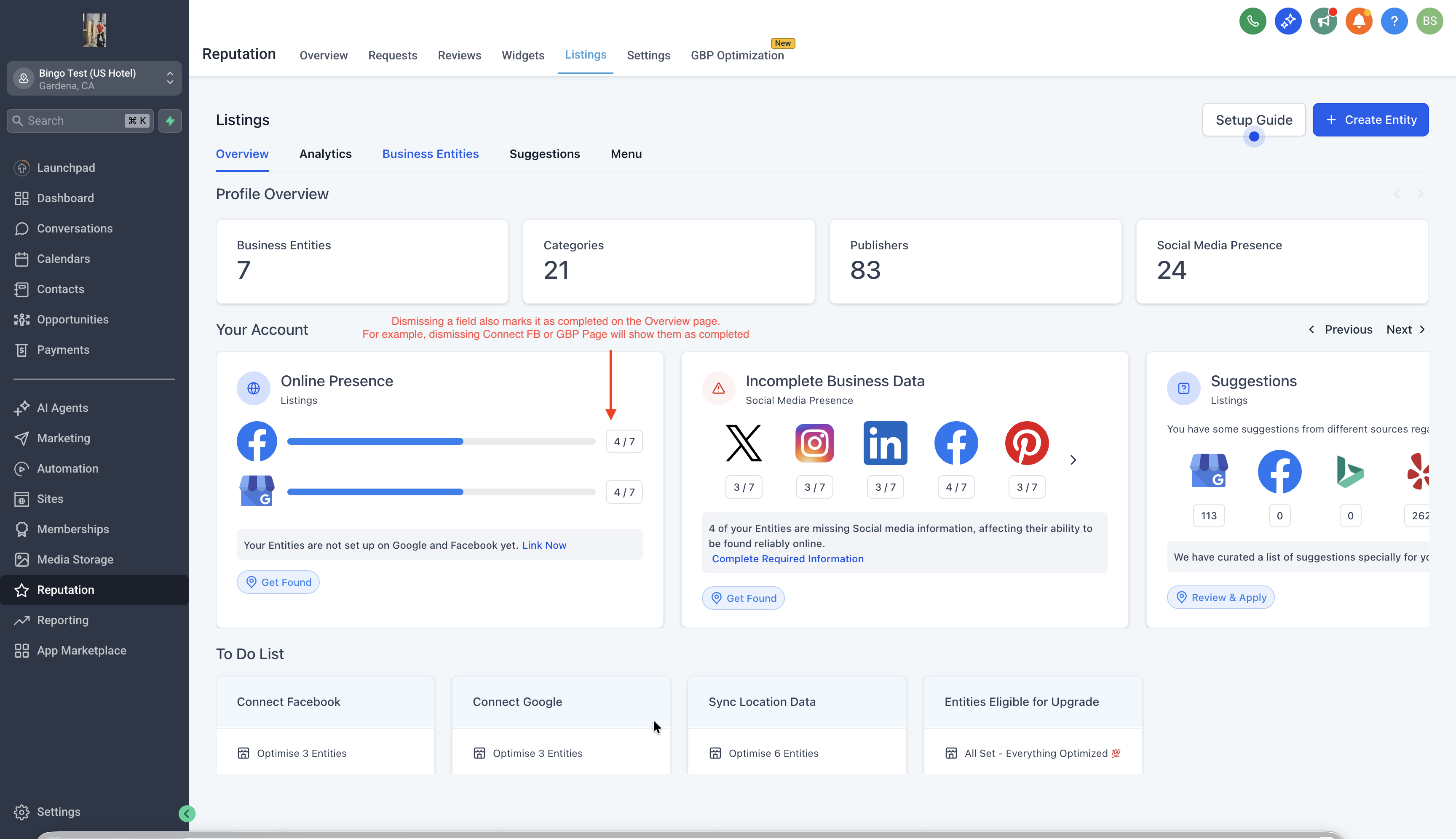
- Once confirmed, the alert disappearsand theprofile score updates accordingly.
?
Want to bring something back?
- Use the “Configure” button to view and “Re-enable” any field.
- Once re-enabled, it reappears in your alerts and profile scoring.
⚡
Profile Score Behavior
- Dismissed fields are excluded from both the numerator and denominator of profile completeness.
- Example: If 2 fields are dismissed from a 10-field profile, the score is calculated as Completed / 8.
To know more about Online Listings and how you can resell it to your clients, click here ?? Have some suggestions for Listings? Simply post your ideas in our ? Ideas Board, and we will prioritise your suggestions!