TABLE OF CONTENTS
Note: This feature is currently available via Labs. Go to Agency Settings > Labs > Sub accounts and enable Payments Tab in Appointments + Coupon Codes for your sub accounts.
Overview
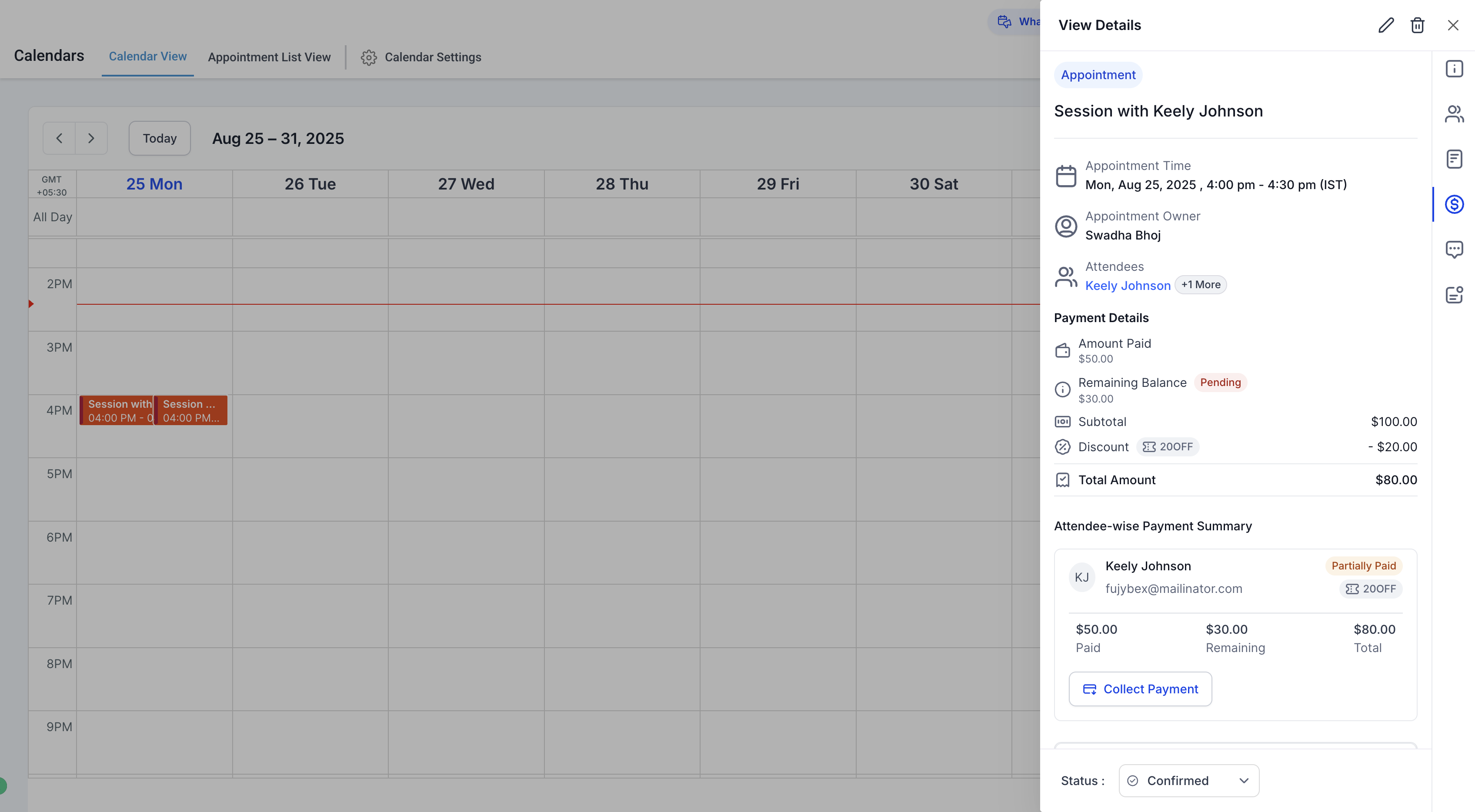
The Payments Tab in the Appointment Modal allows you to manage all payment-related details for an appointment in one place. You can track the amount paid, remaining balance, attendee-wise payment breakdown, transactions, and collect pending payments if needed.
Key Features
1. Payment Summary
Amount Paid: Total amount already collected for the appointment.
Remaining Balance: Pending payment that still needs to be collected.
Total Amount: Overall cost of the appointment after discounts/coupons.
2. Attendee-Wise Payment Details
See payments at the individual attendee level (Booker + Guests).
Each attendee’s status is shown clearly:
Paid: Full payment received.
Partially Paid: Some amount still pending.
Remaining: Outstanding balance to be collected.
3. Transaction History
View a list of all transactions associated with the appointment.
4. Collecting Remaining Payments
If a balance is due, you’ll see a Collect Payment button.
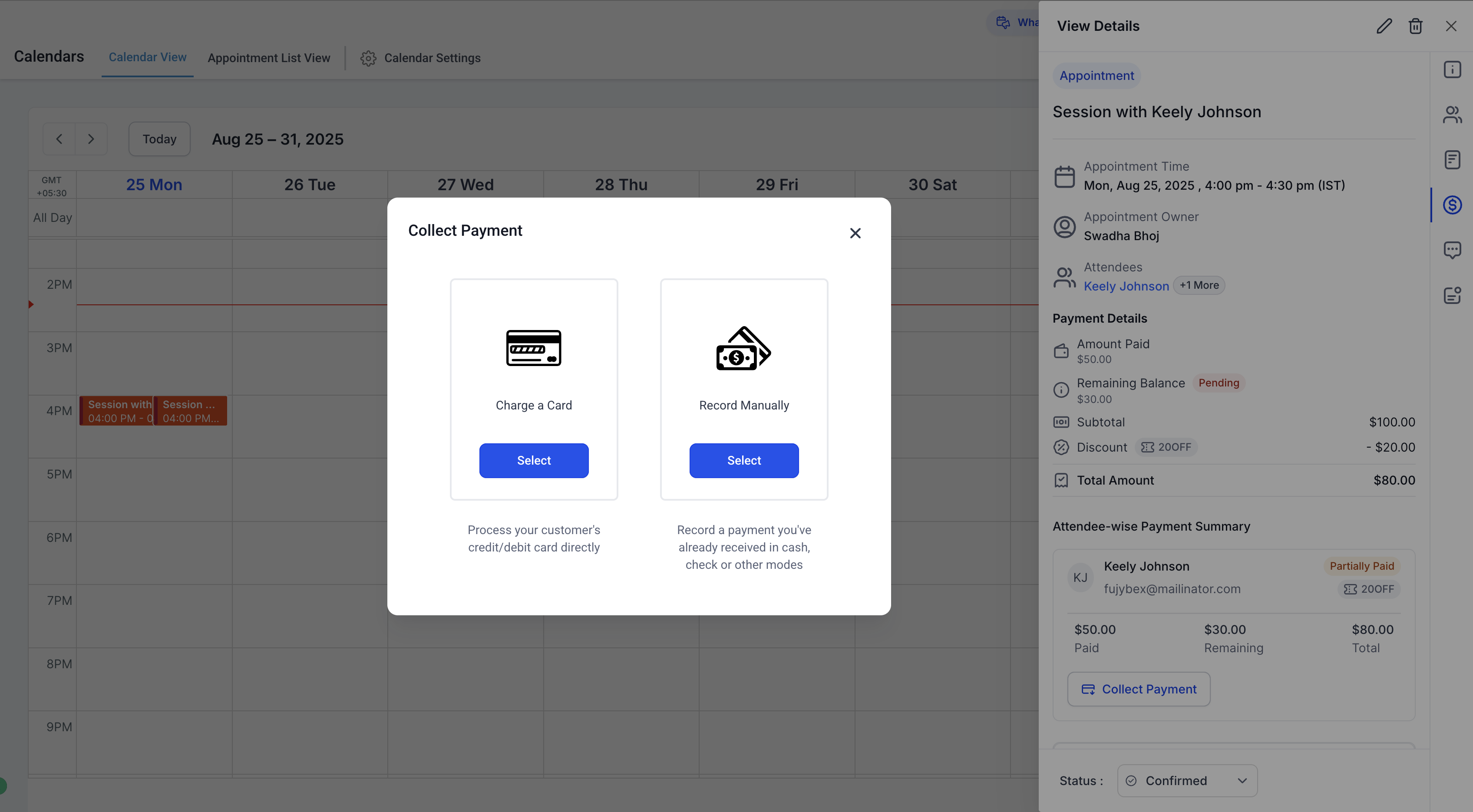
Options include:
Charge a Card – Process credit/debit card payments directly.
Record Manually – Mark payments collected outside the system (cash, check, etc.).
How Payments Work Behind the Scenes
When payments are enabled for a calendar, an associated product is automatically created (visible in the Products Tab) with a Calendar tag.
These calendar-linked products cannot be deleted directly from the Products Tab.
When an appointment is booked, an order is automatically created (visible in the Orders Tab). You don’t need to manage orders separately; everything can be handled directly from the appointment modal.
Impo Notes
The Payments Tab is supported for all calendars, except:
Appointments booked via older Service Menu (v1).
Custom recurring appointments booked directly via the in-app modal.
If a booking includes multiple guests, only one order is created for the full group.
If you edit an appointment and add guests (with "Collect Payment for Guest" enabled), a new order is created each time you save changes.