TABLE OF CONTENT
- How to Verify Your Phone Number on WhatsApp Business
- FAQ
- 1. Why do I need to verify my phone number on WhatsApp Business?
- Verifying your phone number ensures that you can send and receive messages through WhatsApp Business. It also confirms that your business account is linked to the correct number.
- 2. How do I verify my phone number on WhatsApp Business?
- 3. What should I do if I don’t receive the OTP?
- Ensure your phone number is entered correctly.
- 4. Can I verify my phone number using an email instead?
- 5. How long does it take to verify my phone number?
- 6. What happens after my phone number is verified?
- 7. Can I use the same phone number for both WhatsApp Business and WhatsApp Messenger?
- 8. What should I do if my phone number verification fails?
How to Verify Your Phone Number on WhatsApp Business
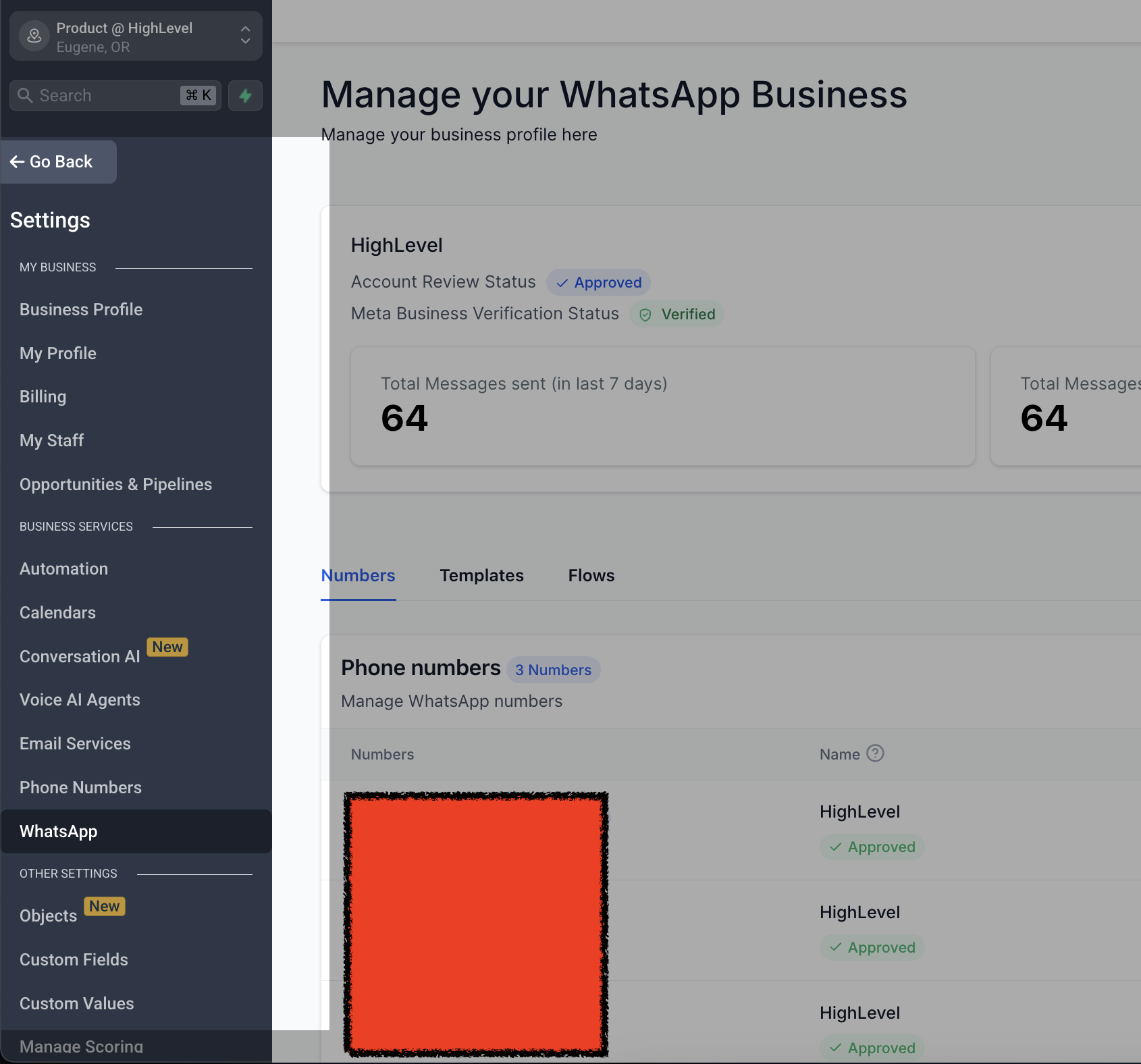
Step 1: Access WhatsApp Settings
- Go to Settings
- Select WhatsApp
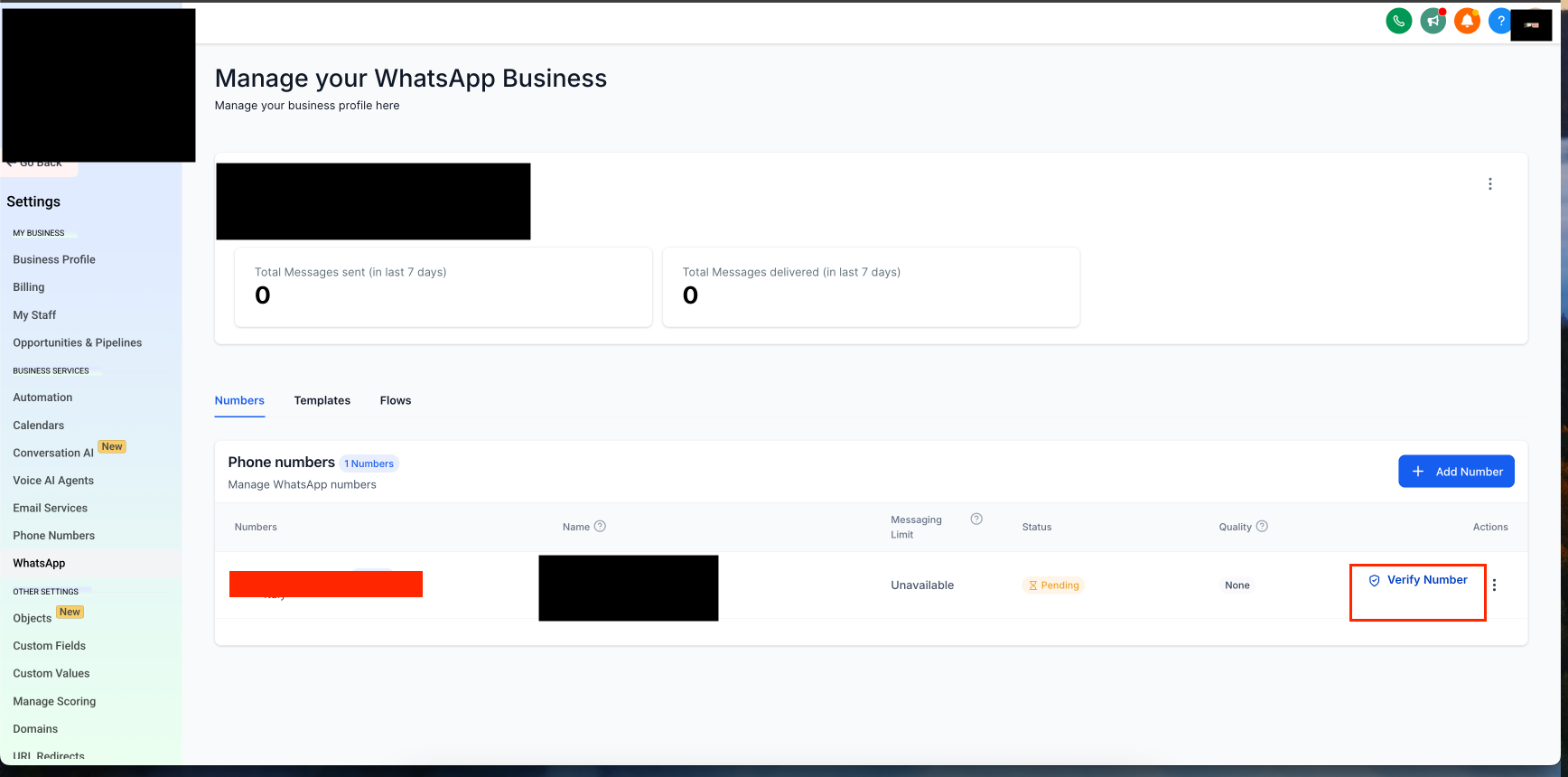
Step 2: Start the Verification Process
- Click on Verify Phone Number
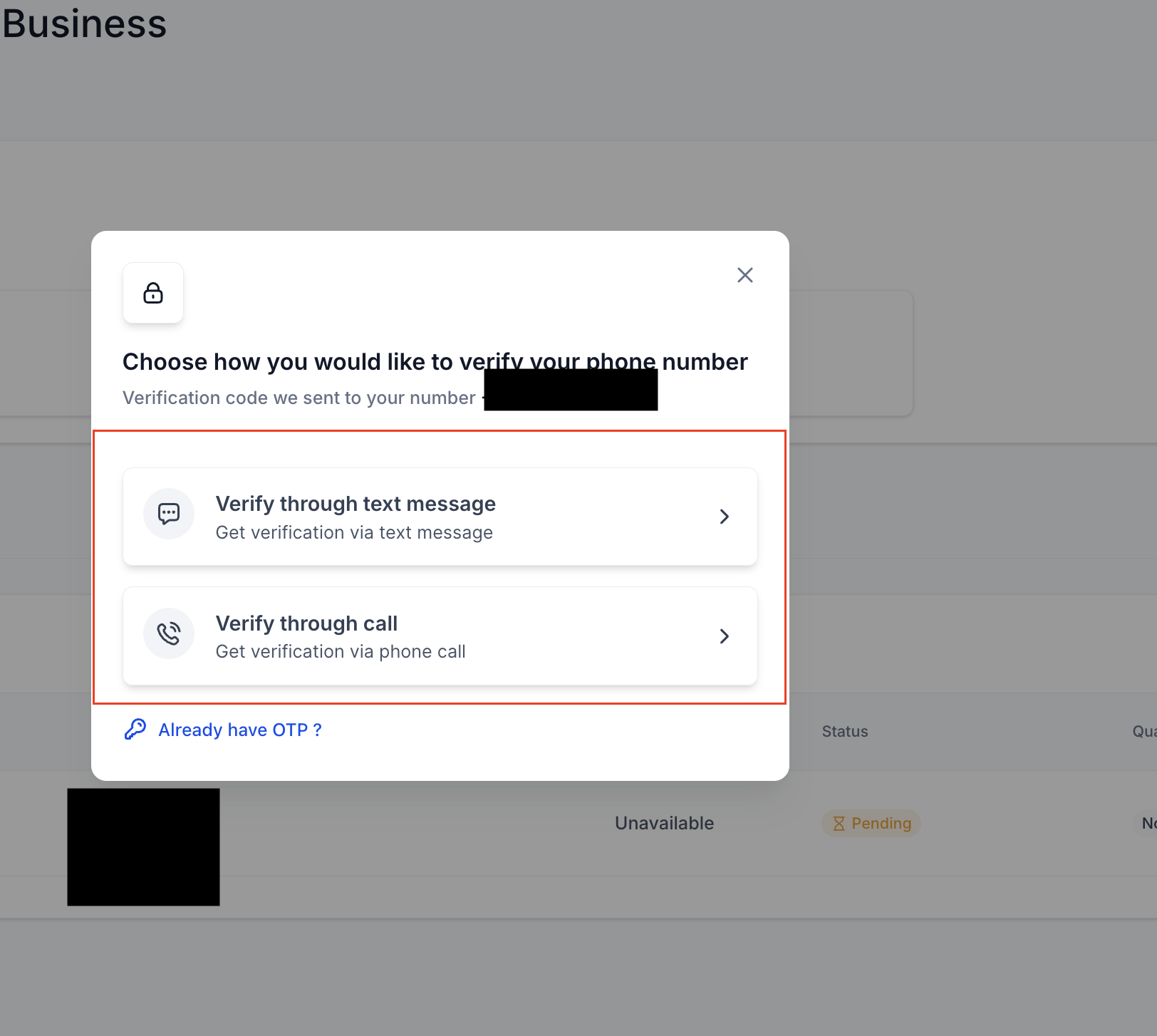
Step 3: Choose Your OTP Delivery Method
- Select whether you want to receive the OTP via call or text message