You can view a history of all the times you pushed an update to a snapshot into subaccounts. You can see subaccounts processed, pending, and failed. You can also see the details of assets loaded in each subaccount.
As of 2024-Nov-12 the asset level details might say Completed even if less than 100% of the assets loaded (ex: only 5 out of 10 funnels were loaded). This is being improved.
How to see the Snapshot Push History
Go to Account Snapshots > My Snapshots > then click the three dot menu on the snapshot and click View History. | 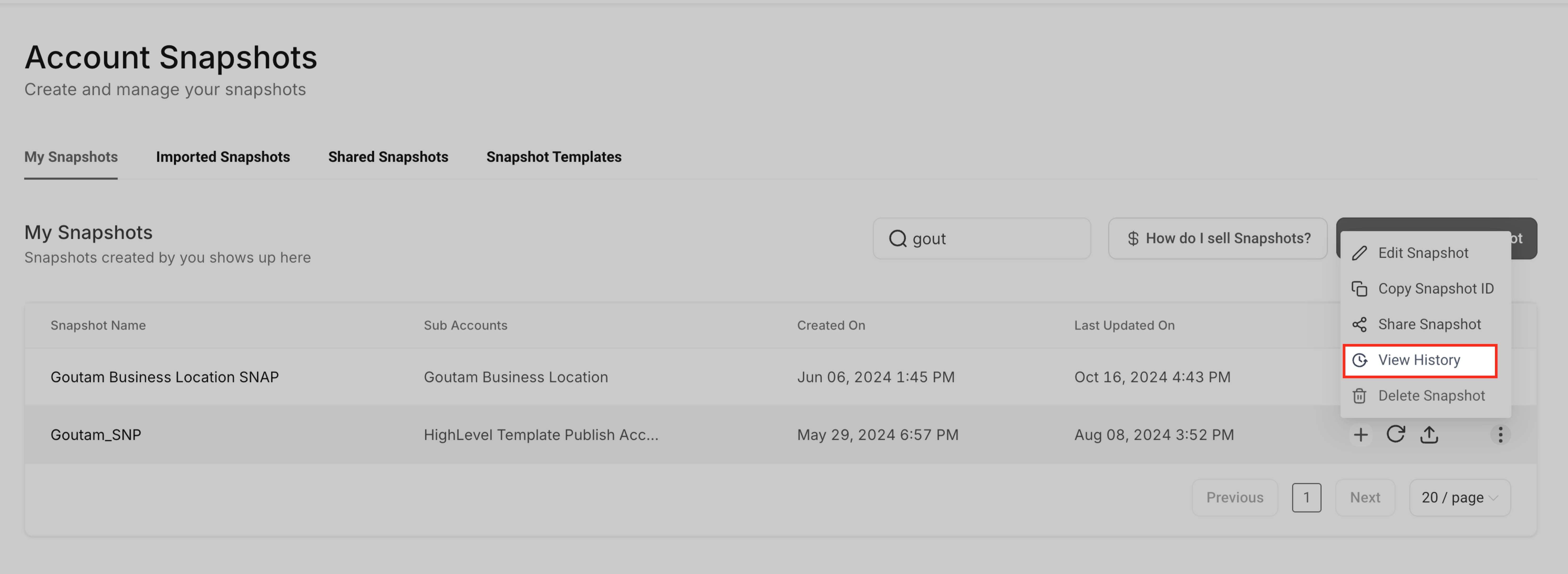 |
| In the History table view the Successful, Failed, and Pending subaccounts. To see the details of a push, click on the details icon on the right end of the row. | 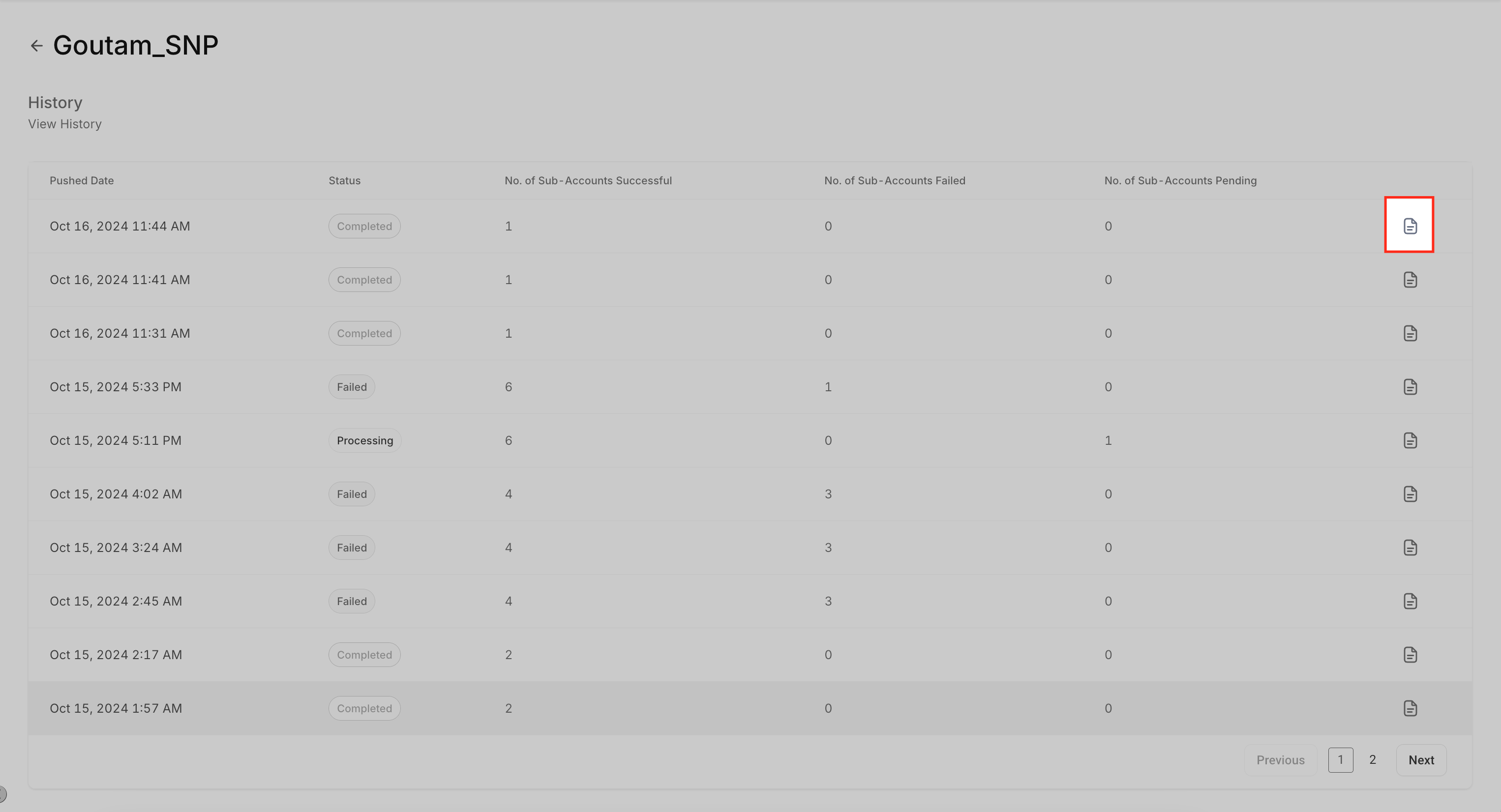 |
| Click into a specific subaccount to view a detailed list of assets. | 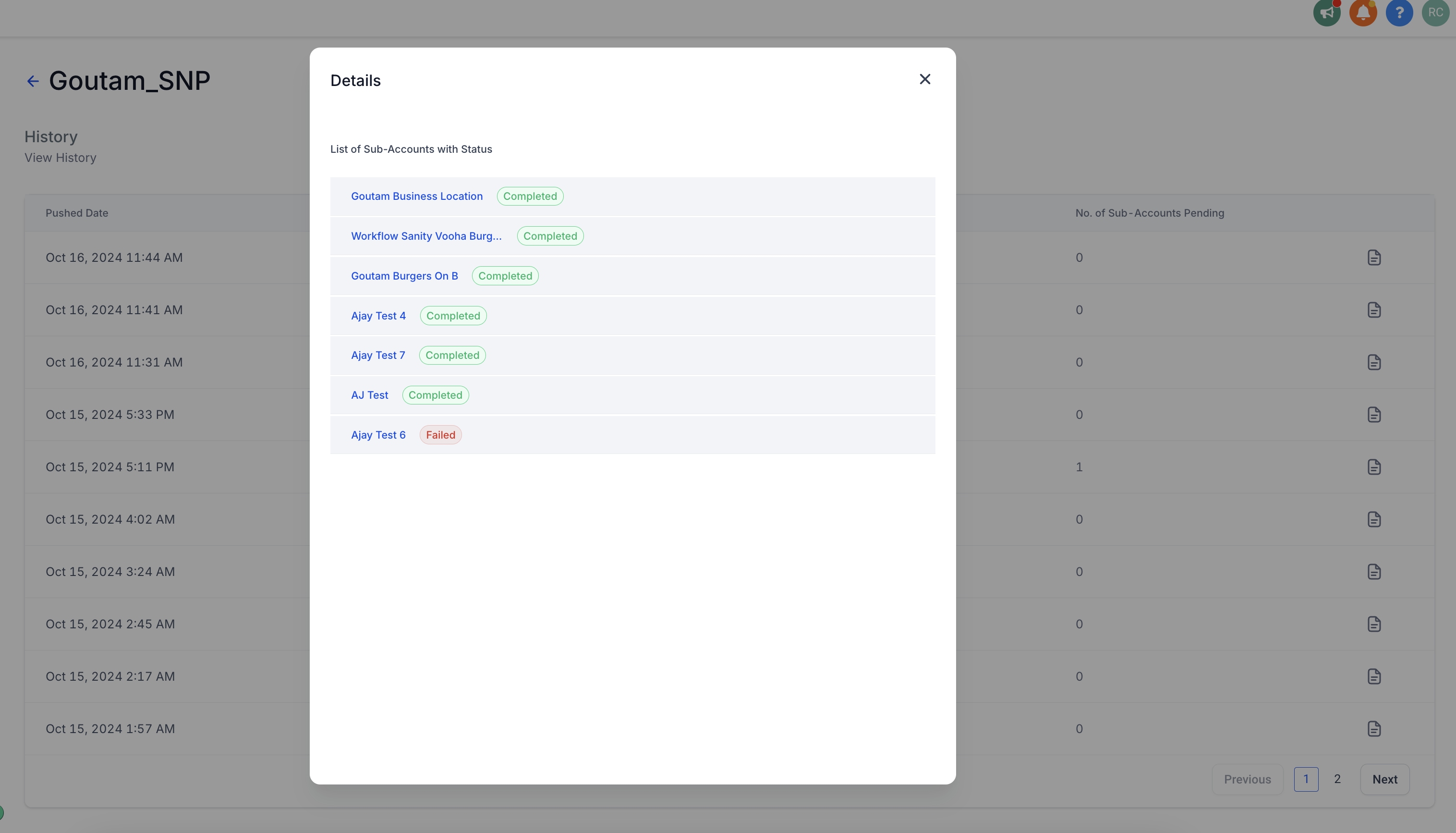 |
| Click on a row to expand it and see each individual asset pushed. | 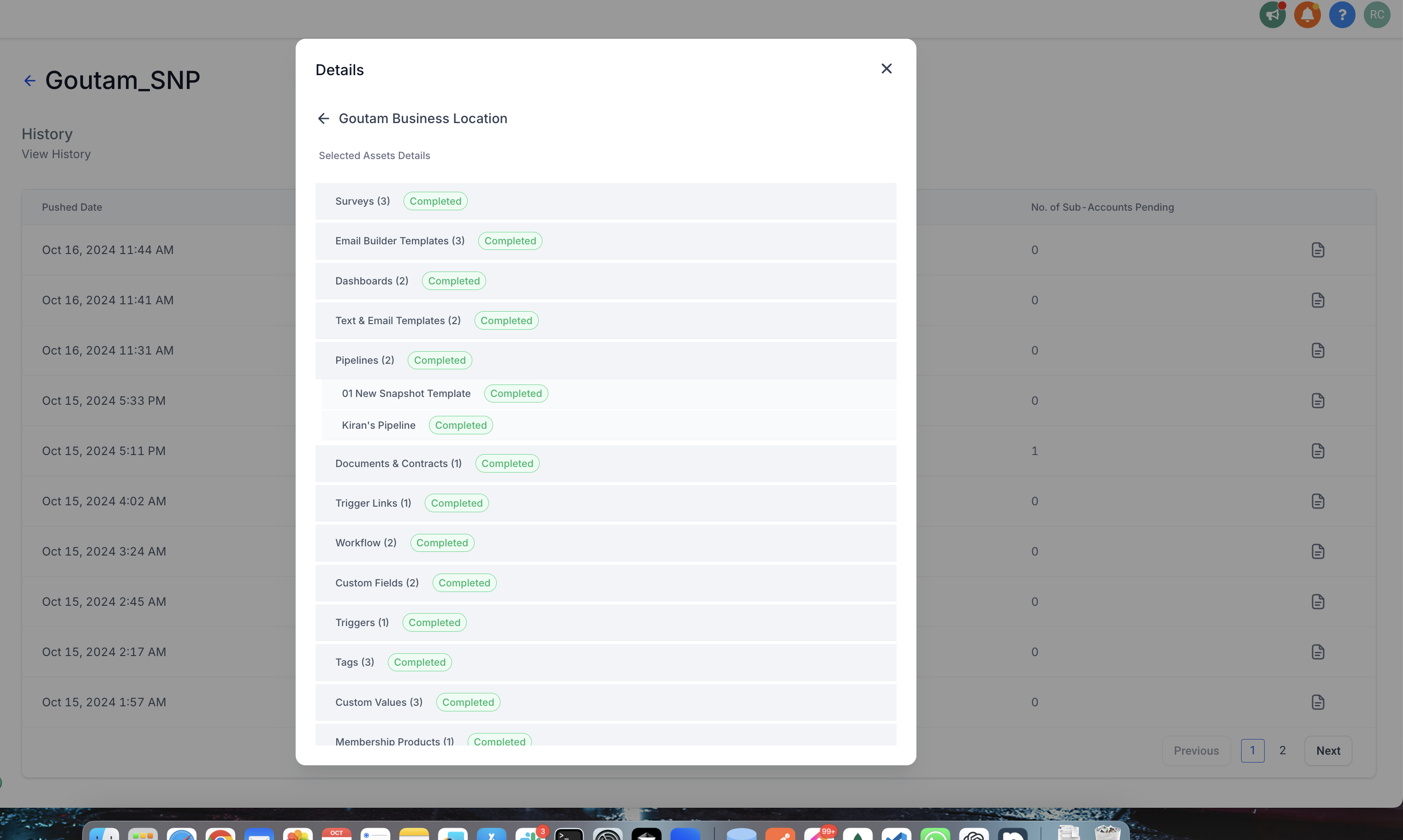 |