We are excited to announce the launch of a highly requested feature: WhatsApp Voice Notes. This powerful addition allows you to send voice notes to your customers directly from the CRM, enhancing communication and personalizing interactions.
TABLE OF CONTENTS
How to send WhatsApp Voice note
Step 1: Allow microphone permission

Please allow microphone permission to send out Voice Notes
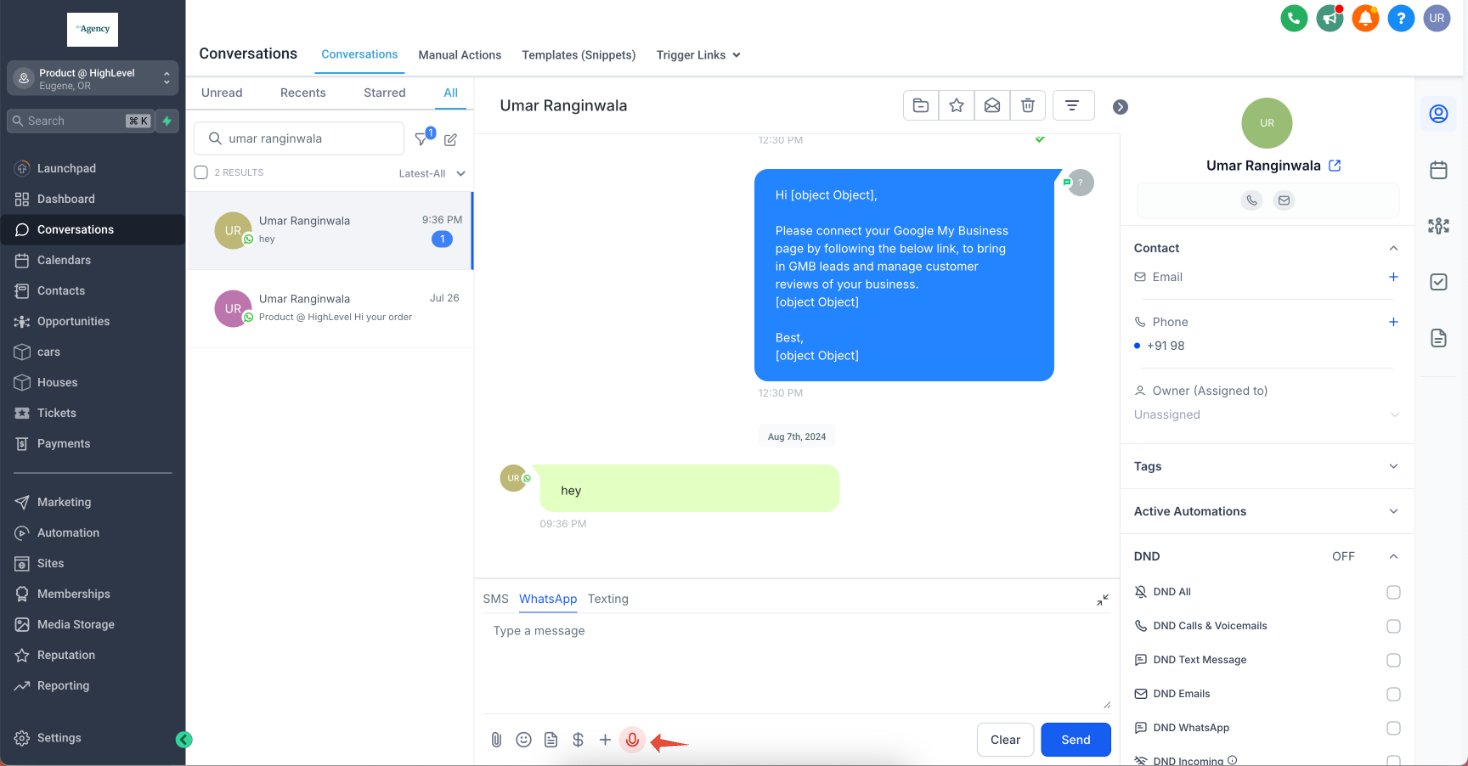
Step 2: Go to Conversation > WhatsApp > Voice Note
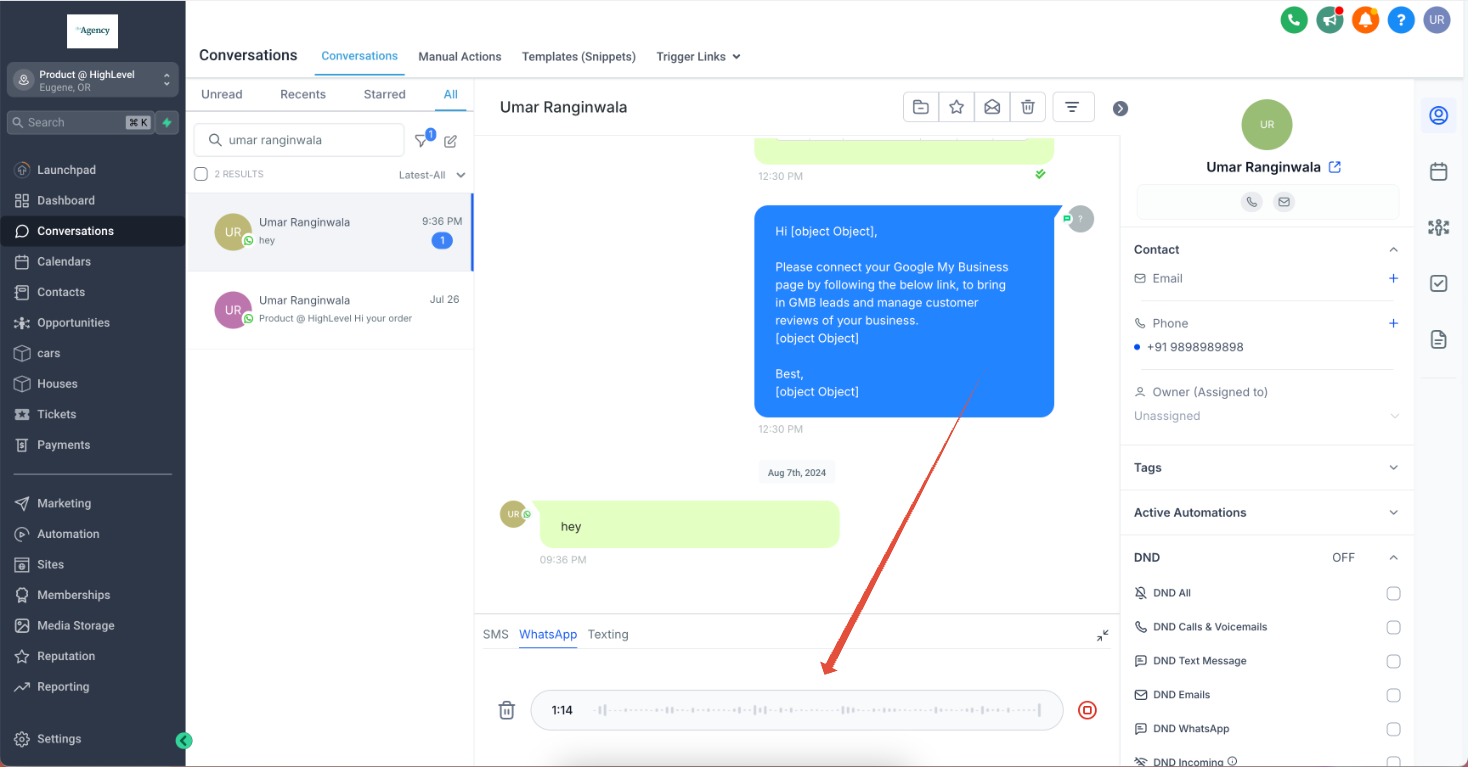
Step 3: Record the Audio
Step 4: Send the Voice Note
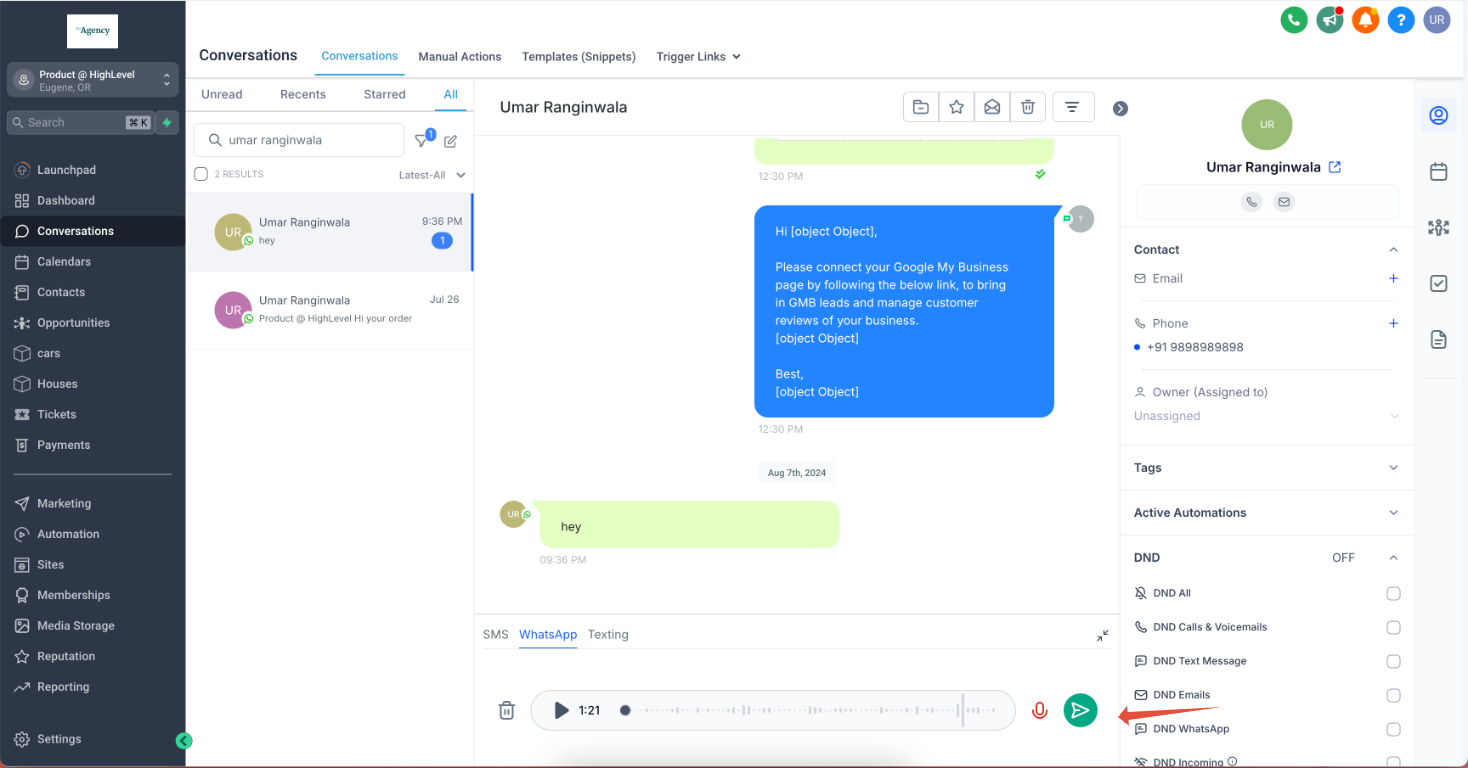
The maximum duration for voice note is 10 mins
Real-Life Use Cases:
- Customer Support: Use voice notes to quickly address customer inquiries with detailed explanations, offering a more personal and human touch than text messages.
- Order Confirmations: Send personalized voice confirmations for customer orders, enhancing trust and providing a unique customer experience.
- Appointment Reminders: Record voice notes to remind customers about upcoming appointments, making it more likely they will remember and attend.
- Special Offers and Promotions: Announce exclusive offers or promotions with an enthusiastic voice note to grab your customers’ attention and encourage engagement.
- Feedback Requests: Solicit customer feedback with a personal message, making them feel valued and more likely to respond.